A wedding is one of the most photographed events in anyone's life. Between the professional photographer, the videographer, and 150 guests all holding up their phones, you'll end the day with more photos than you can imagine — spread across hundreds of different devices.
The challenge is: how do you bring it all together?
A collaborative digital album solves exactly this problem. In this post, you'll learn how to create yours, step by step, and make sure the best memories from your wedding day are all in one place.
Why create a collaborative album for your wedding?
Your professional photographer captures the official moments beautifully. But they can't be everywhere at once. They didn't catch the story your grandmother told in the corner, or the hilarious group selfie your college friends took on the dance floor.
Your guests are the keepers of those spontaneous moments. A collaborative album ensures that no special angle gets left behind.
On top of that:
- You receive photos in full quality, without WhatsApp compression
- Guests feel like active participants in your story
- You get a unique, multi-perspective record of the most important day of your life
How to create your digital wedding album on Memoly
Step 1: Create your account and set up the album
Go to memoly.com.br and sign in. On the dashboard, click "Create album" and choose a name for your event — something like "Ana & Pedro's Wedding" works perfectly.
You can customize the album with a cover photo and theme to match your wedding's visual identity.
Step 2: Generate your unique QR Code
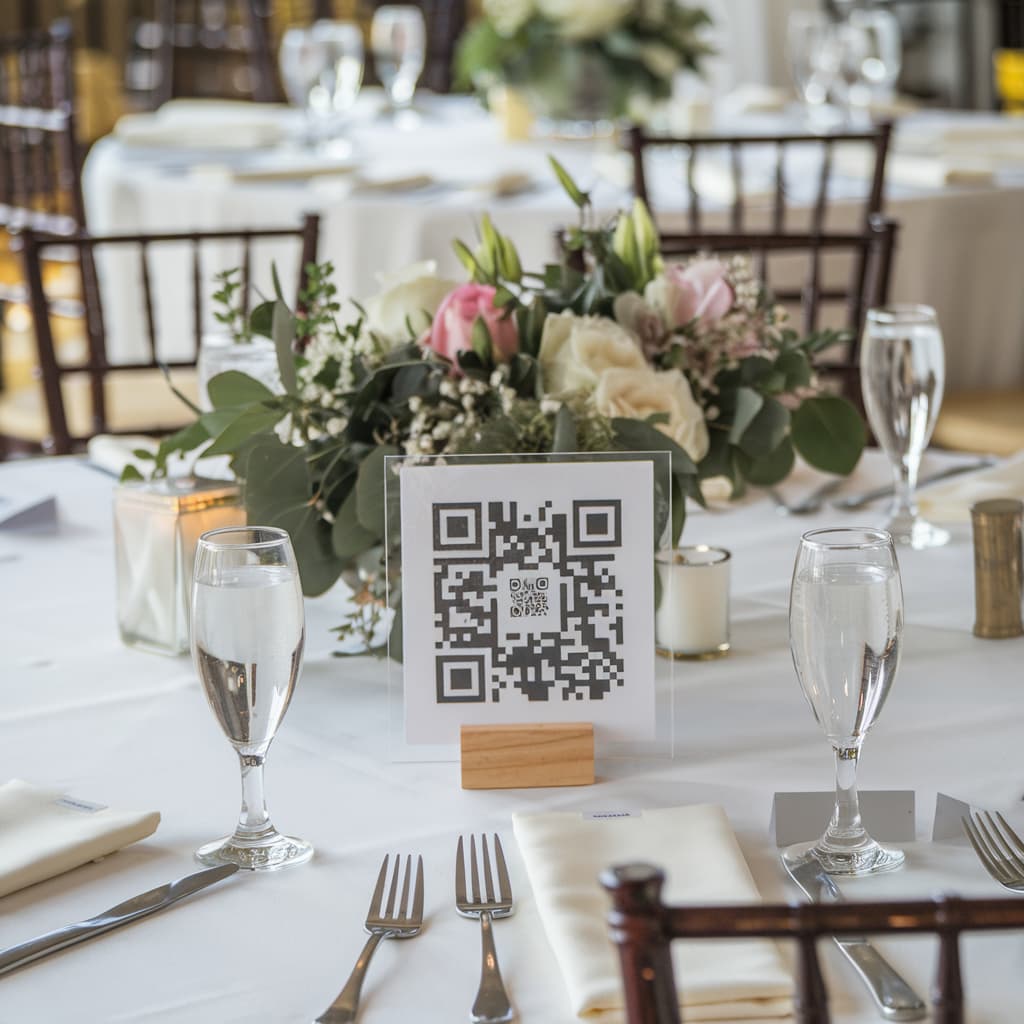
After creating the album, you'll receive a unique QR Code. This is the "digital invitation" to your shared album.
Guests who scan this code will be able to submit photos and videos directly from their phone's browser — without downloading any app.
Step 3: Share the QR Code before and during the wedding
Strategies that work especially well for weddings:
- Cards at each table: print the QR Code alongside a heartfelt message asking guests to share their favorite moments
- Wedding program: include the QR Code in the printed material guests will already receive
- Welcome slideshow: display the QR Code on a welcome screen or during cocktail hour
- WhatsApp group: send the QR Code a few days before the wedding so guests are already familiar with it
Step 4: Activate the live slideshow during the reception
One of the most beloved features for weddings is the real-time slideshow. As guests submit photos, they appear on a screen or TV during the reception.
Imagine the reaction when your group of college friends' selfie appears on the big screen for everyone to see! It creates natural engagement and makes the party even more fun and memorable.
Step 5: Download everything and keep it forever
At the end of the wedding, you can download all photos and videos with a single click. Everything in full quality, organized by submission time.
Memories are stored on Memoly for 12 months, but we recommend making a backup shortly after the event.
Tips to maximize guest participation
Announce it during the reception: ask the emcee to invite guests to scan the QR Code. A great moment for this is right after dinner, when people are relaxed and in a celebratory mood.
Create a "photo moment" area: set up a small display or frame showcasing the QR Code in a visible spot — perhaps near the photo booth or bar. People who pass by naturally want to contribute.
Make it personal: on the table card, write something like "Your favorite photo from tonight will be in our album forever!". This motivates guests to submit their best shots, not just any casual snap.
What to do with the photos after the wedding
With hundreds of guest photos gathered in your Memoly album, you can:
- Create a photo book: use the best guest photos alongside your professional photographer's work for a richer album
- Edit a highlight video: combine candid guest videos for an authentic behind-the-scenes wedding film
- Share the album link with all guests so everyone can revisit and download their favorite photos
- Post on social media throughout your first year of marriage, reliving memories month by month
Conclusion
A collaborative digital album is the perfect complement to professional wedding photography. With Memoly, you turn every guest into a co-author of your wedding day story.
Start for free on Memoly — create your wedding album now and make sure every memory is saved in one place.